Sell direct digital ads in Ad Orbit. Deliver them in Google Ad Manager.
The Ad Orbit + Google Ad Manager integration turns direct-sold digital orders in Ad Orbit into Google Ad Manager line items, then brings delivery stats back for client reporting and billing. Your sales team sells in Ad Orbit, your ad ops team serves in GAM, and no one re-keys an order.
It’s built for publishers with significant direct digital sales who use Google Ad Manager as their ad server.
What syncs
Sales happen in Ad Orbit and delivery happens in Google Ad Manager. Here’s what moves between them, and when.
| What syncs | When |
|---|---|
| Ad Orbit → Google Ad Manager | |
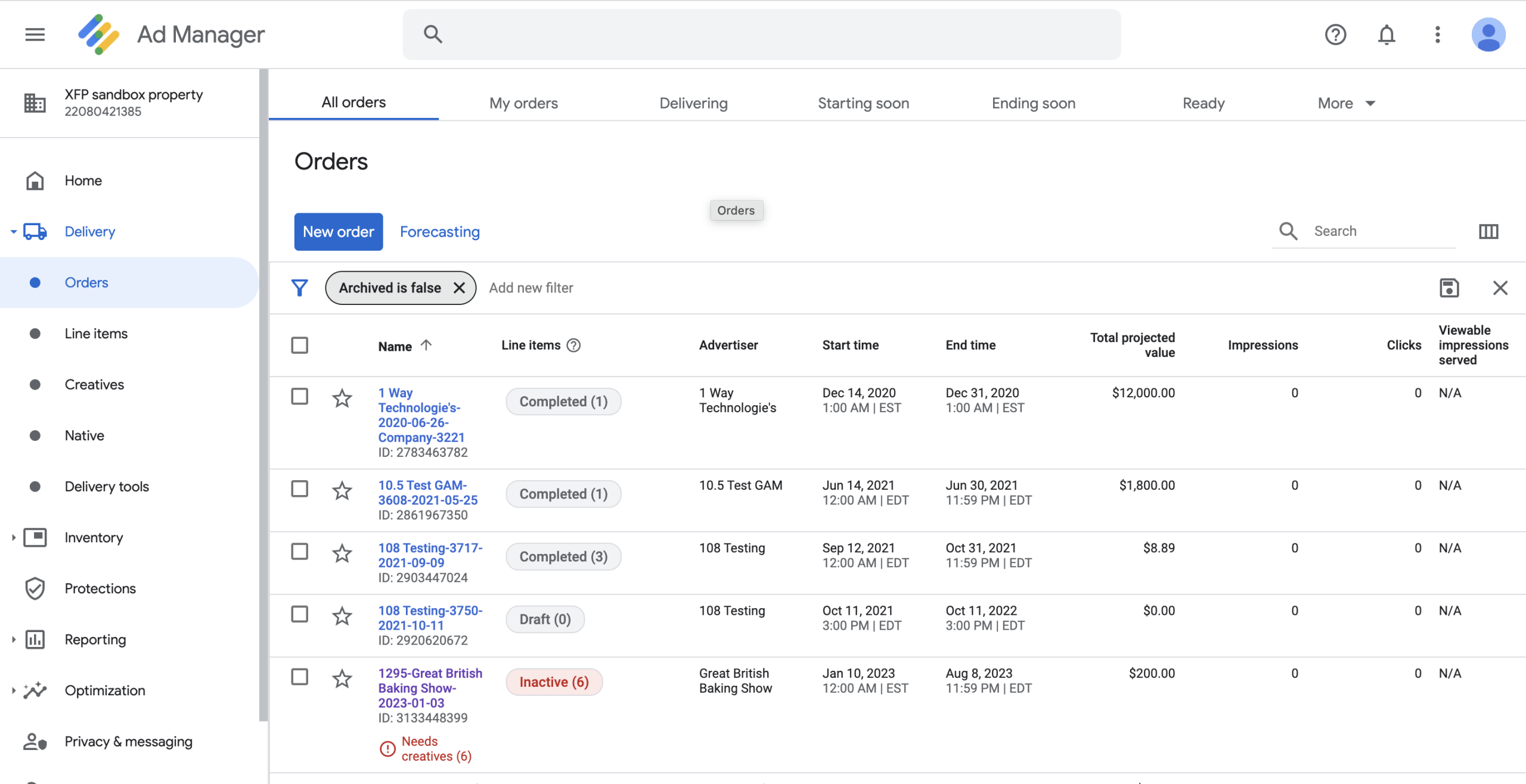
| Line items from approved orders | Every 15 minutes |
| Creatives | When marked ready |
| Changes to start dates, impressions, or cancellations | Next sync |
| Google Ad Manager → Ad Orbit | |
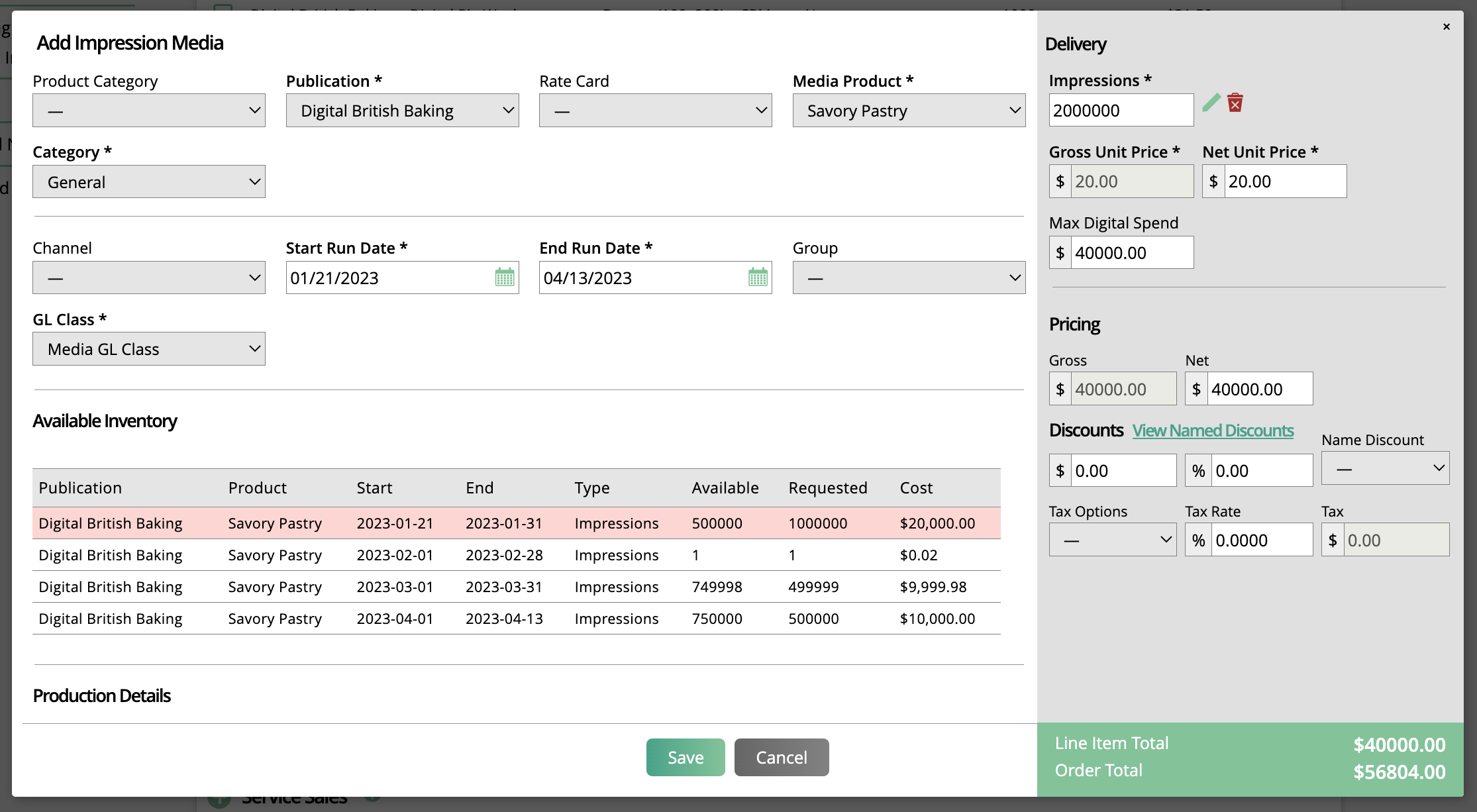
| Available inventory | When a line item is entered |
| Placements and targeting presets | On demand |
| Impressions and clicks | Ongoing |
Key features
- No overselling: Ad Orbit checks GAM inventory before a line item is booked, so reps can’t sell impressions you don’t have.
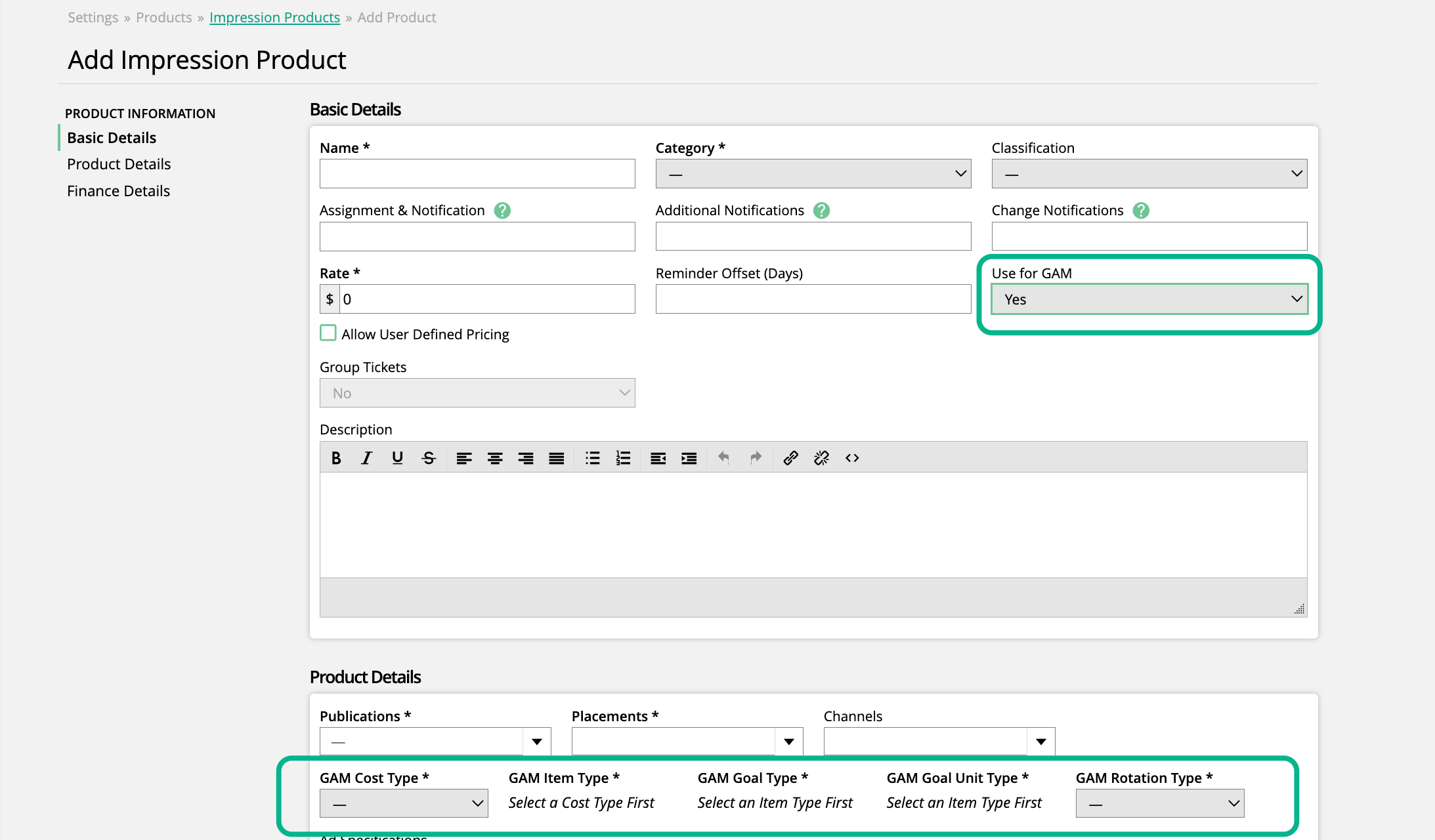
- Automatic line items: Impression products sold in Ad Orbit become GAM line items, mapped to your GAM placements and targeting presets.
- One order, every channel: GAM line items can sit on the same order as print, newsletter, event, and sponsorship items.
- Creative handoff: Upload creatives on the ticket, or let advertisers supply them through the client portal, then push them to GAM.
- Changes flow through: Move a start date, adjust impressions, or cancel a line item in Ad Orbit and GAM updates to match.
- Client-ready reporting: Impressions and clicks from GAM appear in the client portal, so advertisers can see how their campaigns performed.
- Bill on actuals: Optionally invoice from delivered impressions instead of booked estimates.
Requirements
- A Google Ad Manager account, plus a GAM administrator with API access to make the connection
- The Google Ad Manager and Digital Media modules in Ad Orbit (ask us about availability on your plan)
- Ad units and placements set up in GAM; targeting presets are optional
How setup works
- Connect your Google Ad Manager account to Ad Orbit.
- Sync your GAM placements and targeting presets, then map them to Ad Orbit placements and channels.
- Create impression products for your digital publications and start selling.
Frequently asked questions
Does Ad Orbit replace Google Ad Manager?
No. Google Ad Manager still serves your ads and controls your inventory. Ad Orbit handles selling, orders, creative collection, client reporting, and billing, and keeps both systems in sync.
Can I sell print and Google Ad Manager placements on the same order?
Yes. A single Ad Orbit order can include GAM line items alongside print, newsletter, event, and sponsorship items.
Can I invoice on delivered impressions?
Yes. Ad Orbit can create invoices from the actual impressions reported by Google Ad Manager instead of the booked amount.
Related integrations: Broadstreet, Passendo, Salesforce
Screenshots