Plan the book in Ad Orbit. Build it in InDesign. Never re-key a placement.
The Ad Orbit InDesign plug-in connects MagBuilder, Ad Orbit’s flatplanning tool, to your Adobe InDesign layouts. Designers see the paginated book, place final ads automatically, and manage ad tickets and proofs without leaving InDesign.
It’s built for print publishers whose production teams lay out magazines, newspapers, or show guides in InDesign.
What moves between Ad Orbit and InDesign
| What | Used for |
|---|---|
| Ad Orbit → InDesign | |
| MagBuilder page layouts and paginated ads | Seeing the flatplan while you design |
| Final ad artwork | Placing ads by drag and drop or auto-flow |
| Ad and editorial tickets | Finding assets and checking status |
| InDesign → Ad Orbit | |
| Ticket status changes and new assets | Keeping sales and production in sync |
| Proof requests | Sending advertisers proofs for approval |
| Final page PDFs | Previewing the finished book and sending electronic tear sheets |
Key features
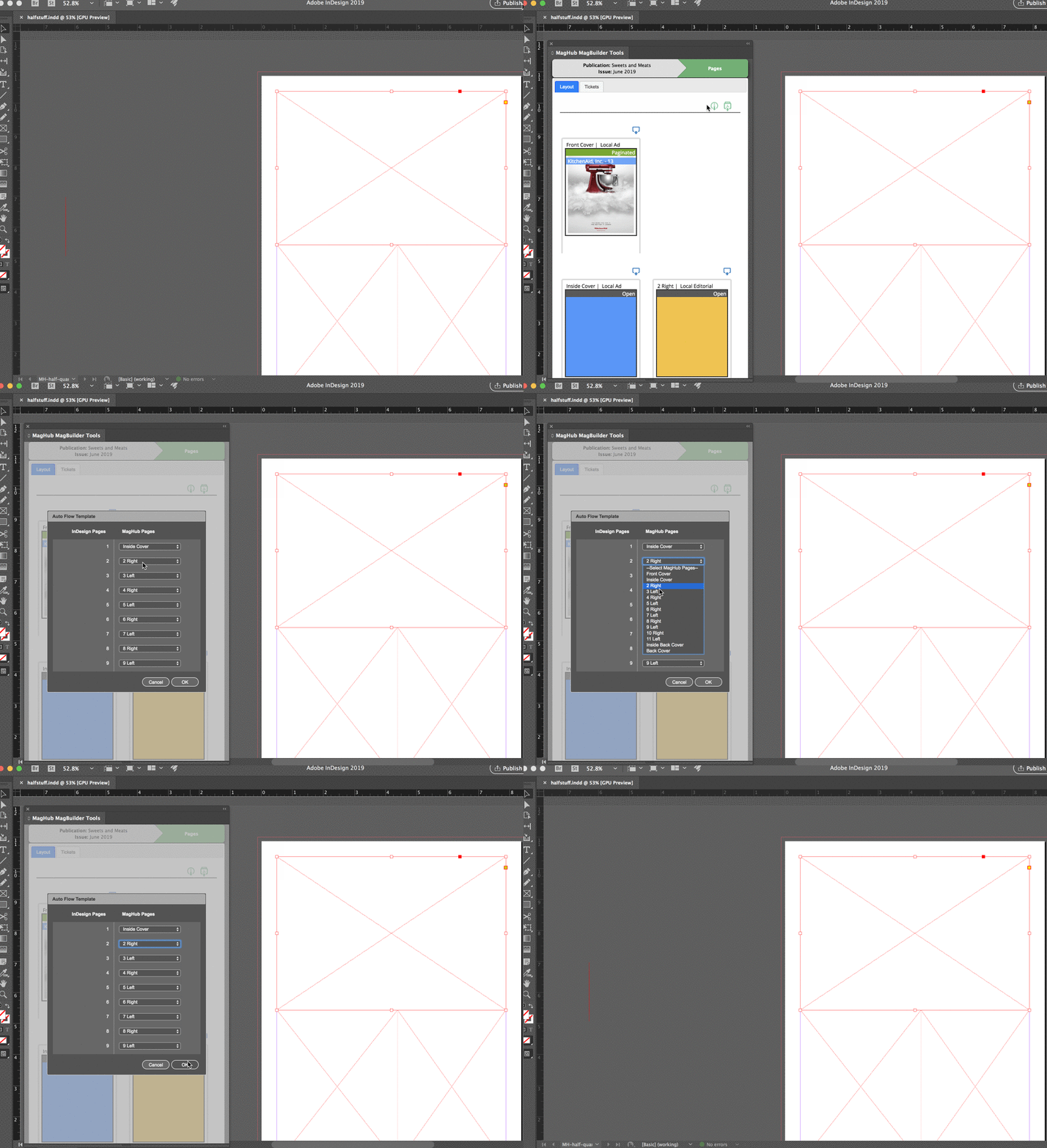
- Auto-flow ads: Match InDesign master pages to your MagBuilder layouts and the plug-in places every final ad into its frame, using your fitting settings.
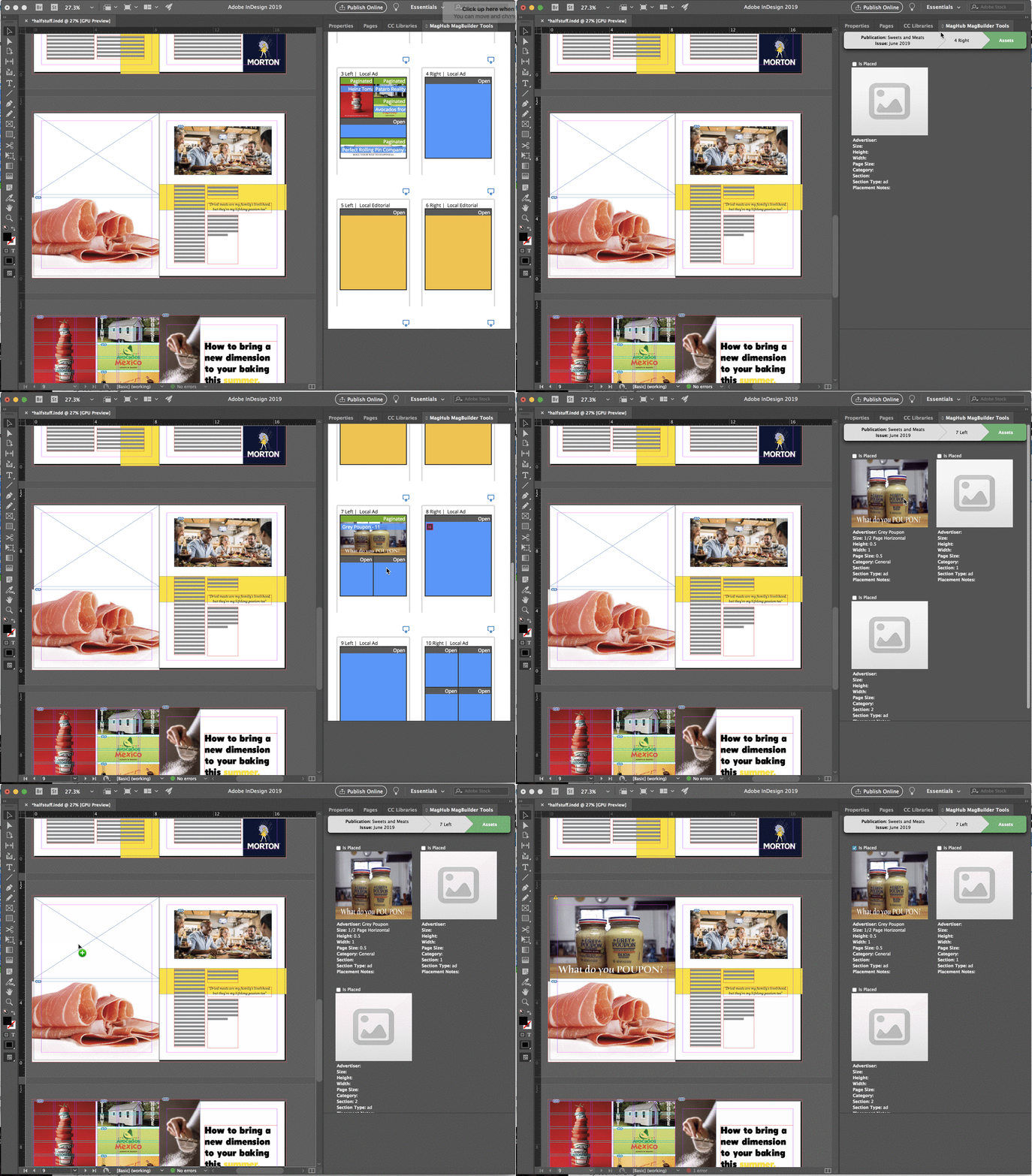
- Drag-and-drop placement: Open any MagBuilder page in the plug-in panel and drag final artwork straight onto your layout.
- Placement tracking: Placed ads are marked automatically, and MagBuilder shows which ads are already in the InDesign file.
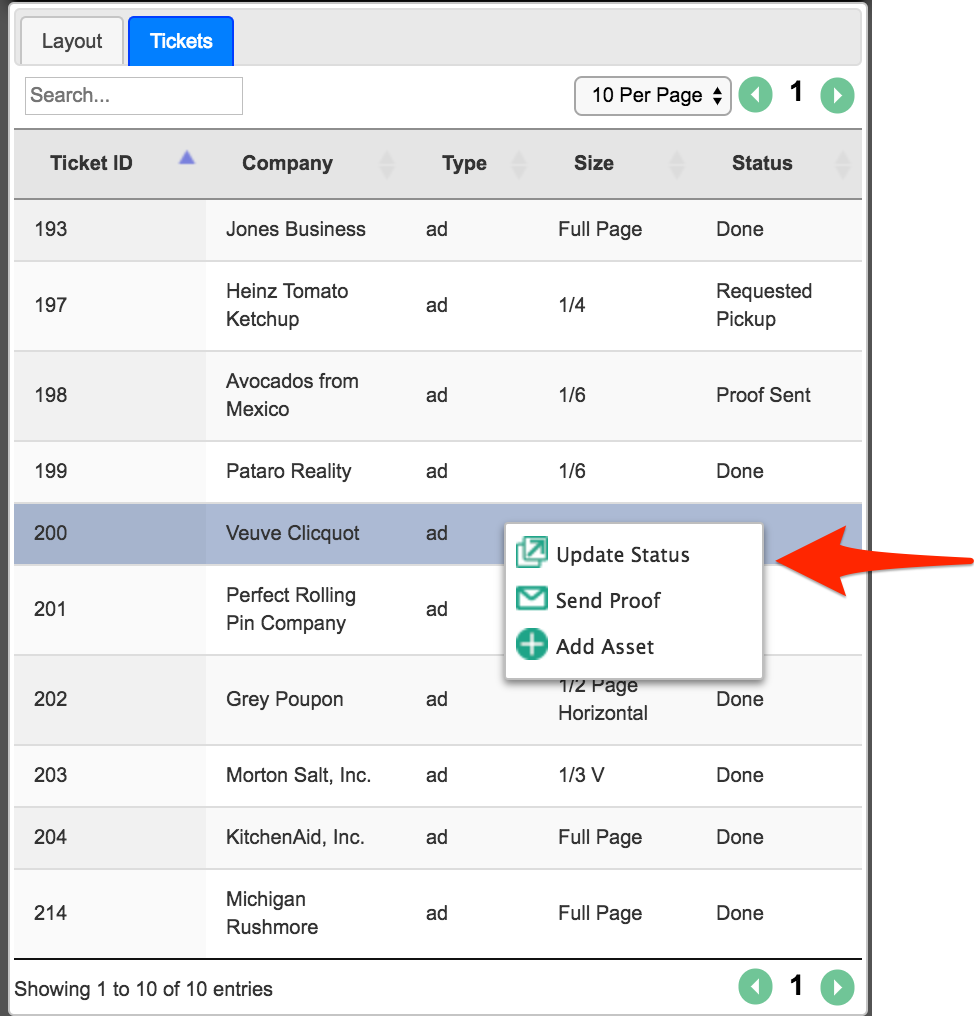
- Tickets inside InDesign: Search ad and editorial tickets, update statuses, upload assets, and mark artwork final without switching apps.
- Proofs in one click: Send a proof request from InDesign using your standard Ad Orbit proof email.
- Final pages back to Ad Orbit: Upload final PDFs page by page or in bulk, so your team can preview the finished book and send electronic tear sheets with invoices.
Requirements
- Adobe InDesign CC 2020 or later, on Mac or PC
- The InDesign module and MagBuilder flatplanning in Ad Orbit
- Ad Orbit API keys for each designer, or a shared production account
How setup works
- Install the Ad Orbit plug-in in InDesign.
- Connect it to your Ad Orbit site with your API keys.
- Open the MagBuilder Tools panel, choose a publication and issue, and start laying out.
Frequently asked questions
Do I need MagBuilder to use the InDesign plug-in?
Yes. The plug-in works from your MagBuilder flatplan, so ads must be paginated in MagBuilder and marked final before they can be placed in InDesign.
Can the plug-in place ads automatically?
Yes. With master pages that match your MagBuilder layouts, the auto-flow feature places all final ads into their frames in one step.
Which versions of InDesign are supported?
Adobe InDesign CC 2020 and later, on both Mac and PC.
Screenshots