Setting up your Confidence Levels and Pipelines
You can create a pipeline with a set of confidence levels to weight your opportunities and pending orders. These are important for your opportunity reports to accurately reflect the likelihood of a deal closing.
You can create your pipelines and confidence levels by going to Settings > Sales > Pipelines & Confidence Levels.
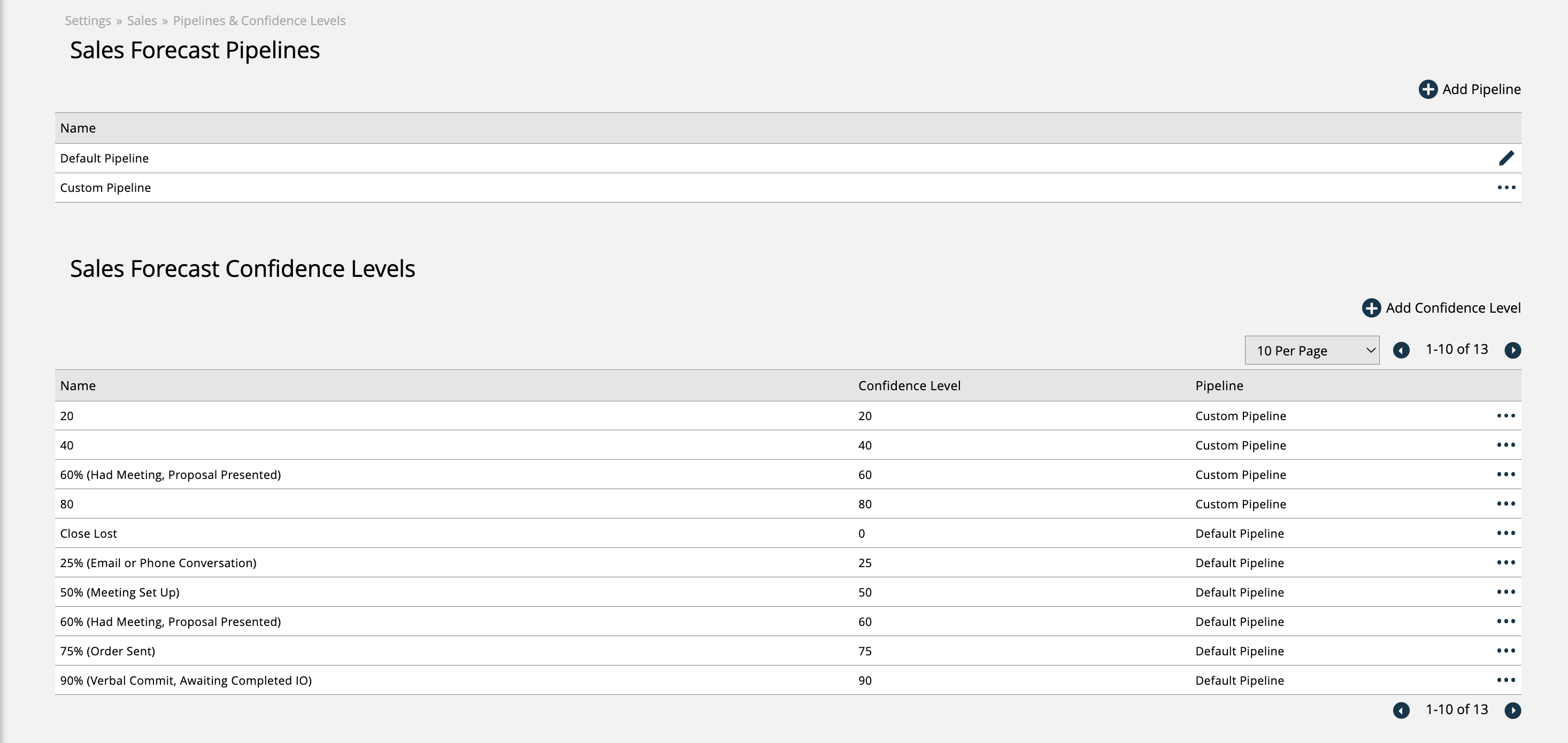
To access this page, you need the User Permission 'Pipelines & Confidence Levels'. This permission also grants you the ability to add and edit Confidence Levels on this page.
To also edit Pipelines on this page, you will need the sub-permission 'Add & Edit Pipelines'.
Click on Add Pipeline to create a new pipeline. You only have to give the pipeline a name.
Existing pipelines can be edited by clicking the ellipses icon on the record. Pipelines you have created can also be disabled.
Once you have your pipeline setup, you can click on Add Confidence Level.
Each confidence level must have a name, a weighting percentage (level), and be associated with a pipeline. The weighing percentage should reflect the likelihood of a deal closing.
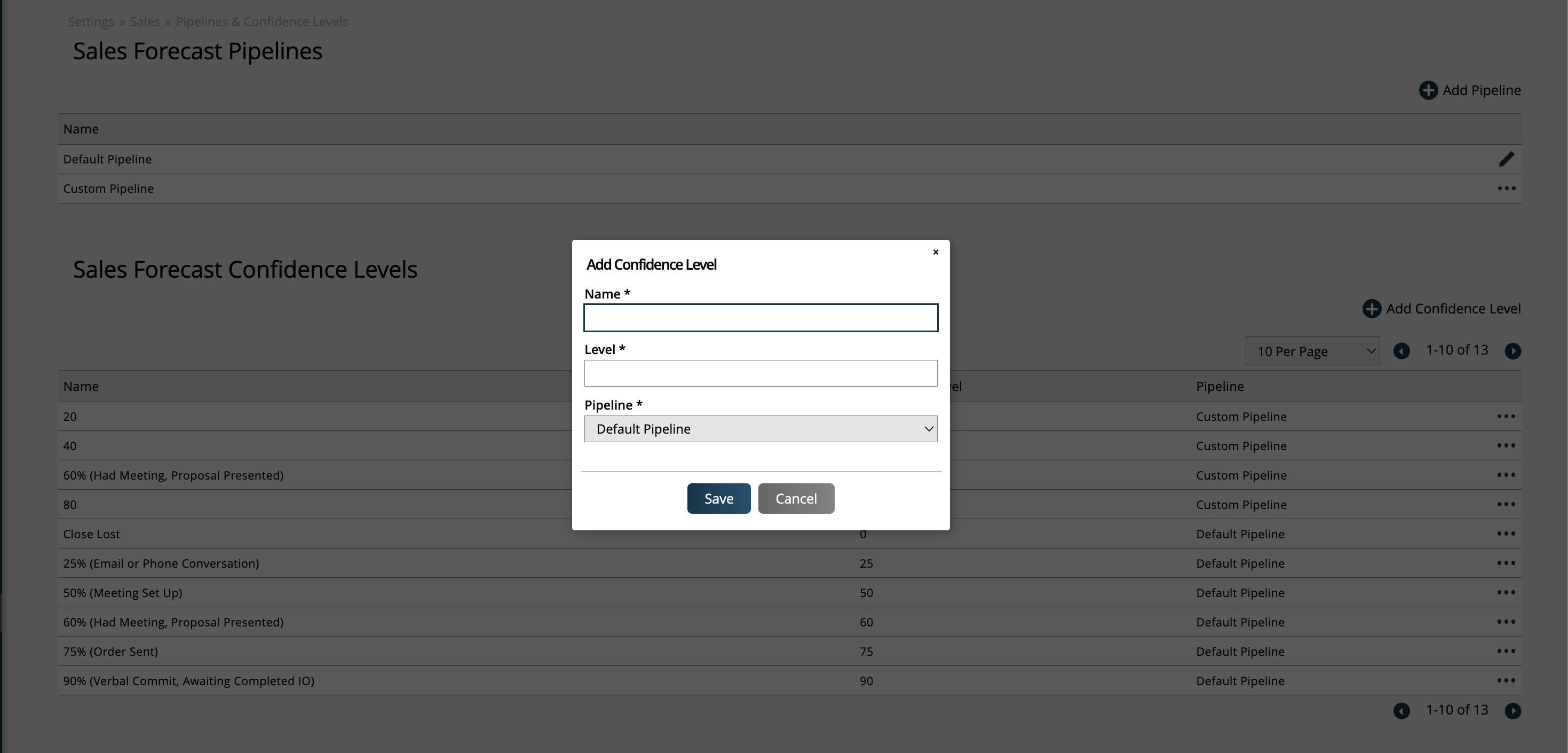
Existing confidence levels can be edited or disabled by using the ellipses icon on the record.
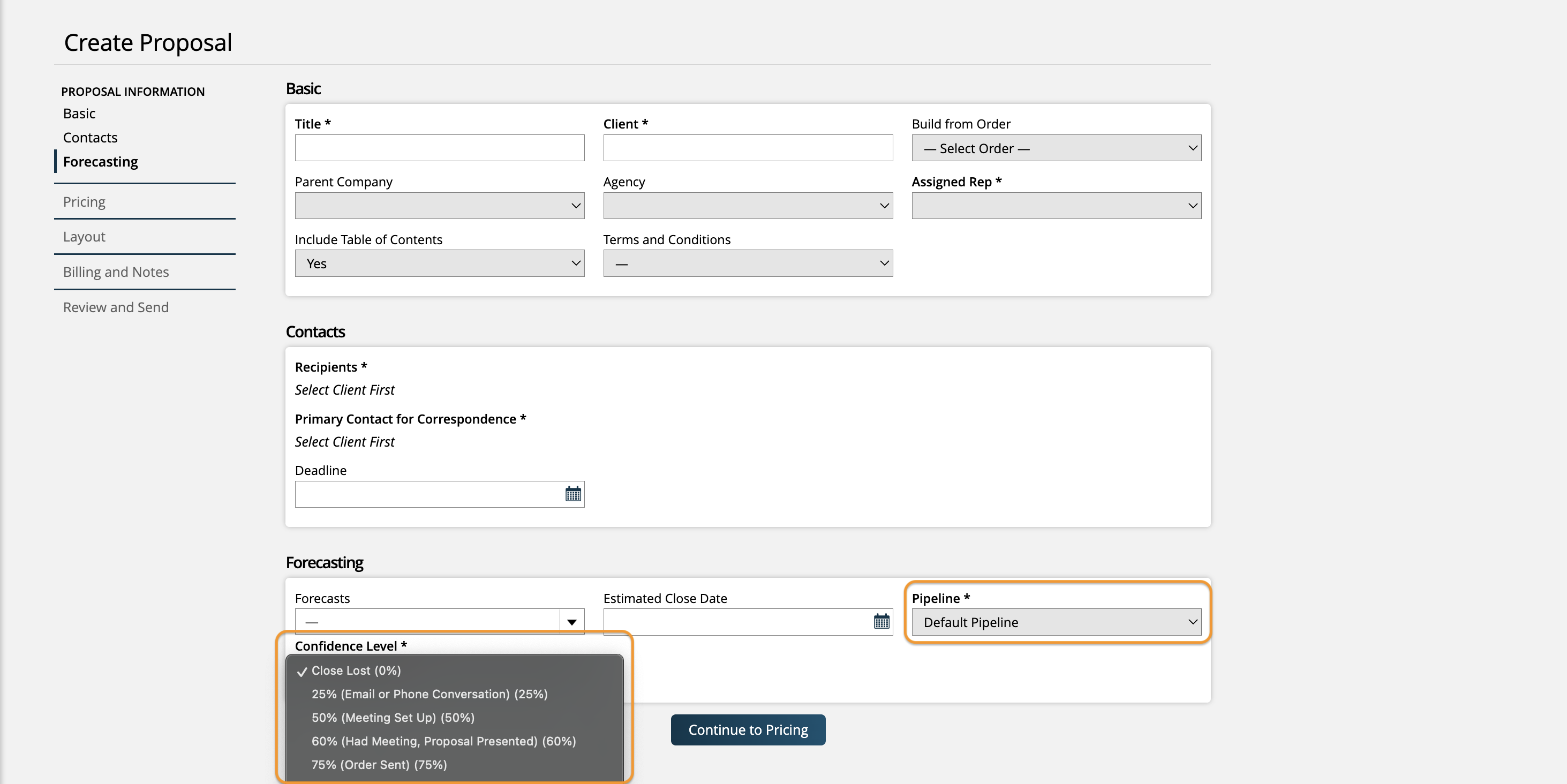
When creating items within Ad Orbit such as opportunities or proposals, you will first need to choose the pipeline, then select the confidence level. The confidence levels available to select will be those associated with the pipeline you chose.
Updated 12/26/2025