Market Territories
Market Territories are geographic locations that can be used to group and organize accounts. Companies can belong to multiple Market Territories, including automatic and manual assignments, and you can filter various reports and searches throughout Ad Orbit using Market Territories.
To manage your Market Territories, go to Settings > Contacts > Market Territories. To access this page, you need the User Permission 'Company Setup'.
Here, you can create new Market Territories and edit existing ones. To create a new Market Territory, click the +Add Market Territory button in the upper right corner of the page. In the popup, you will need to enter a Name, and can choose whether or not to enter country and region information.
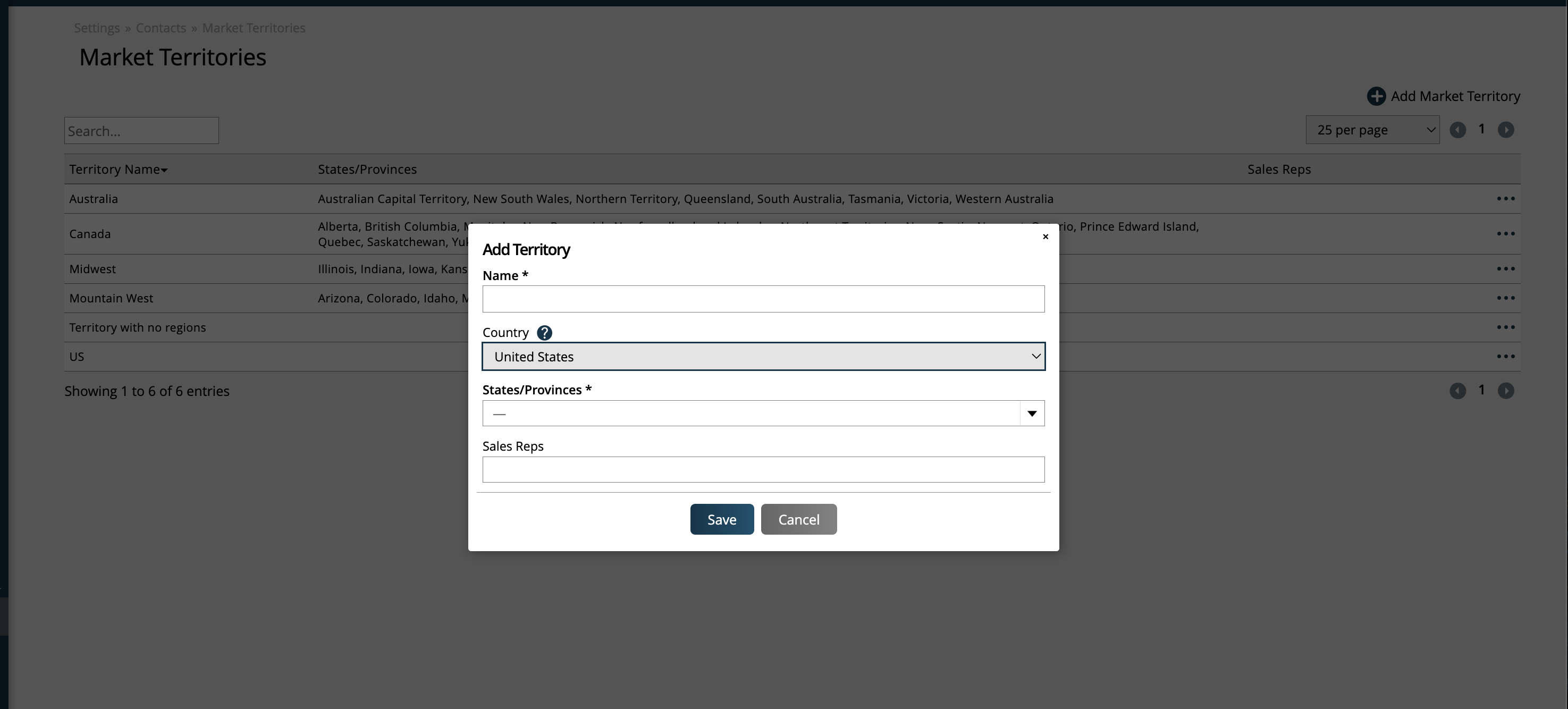
If you do select a country, the region field will become required.
If a country and region are entered on the Market Territory, it can be used for automatic company Market Territory assignments. Market Territories without a country and region can only be used for manual assignment.
To edit Market Territories, use the ellipses icon on the record, then click the Edit action.
Once created, you can begin using the automatic and manual assignment of Market Territories on your companies.
If a Market Territory is configured with a country and region, then when a company is created or edited with an address in that region, the system will automatically assign that Market Territory to the company.
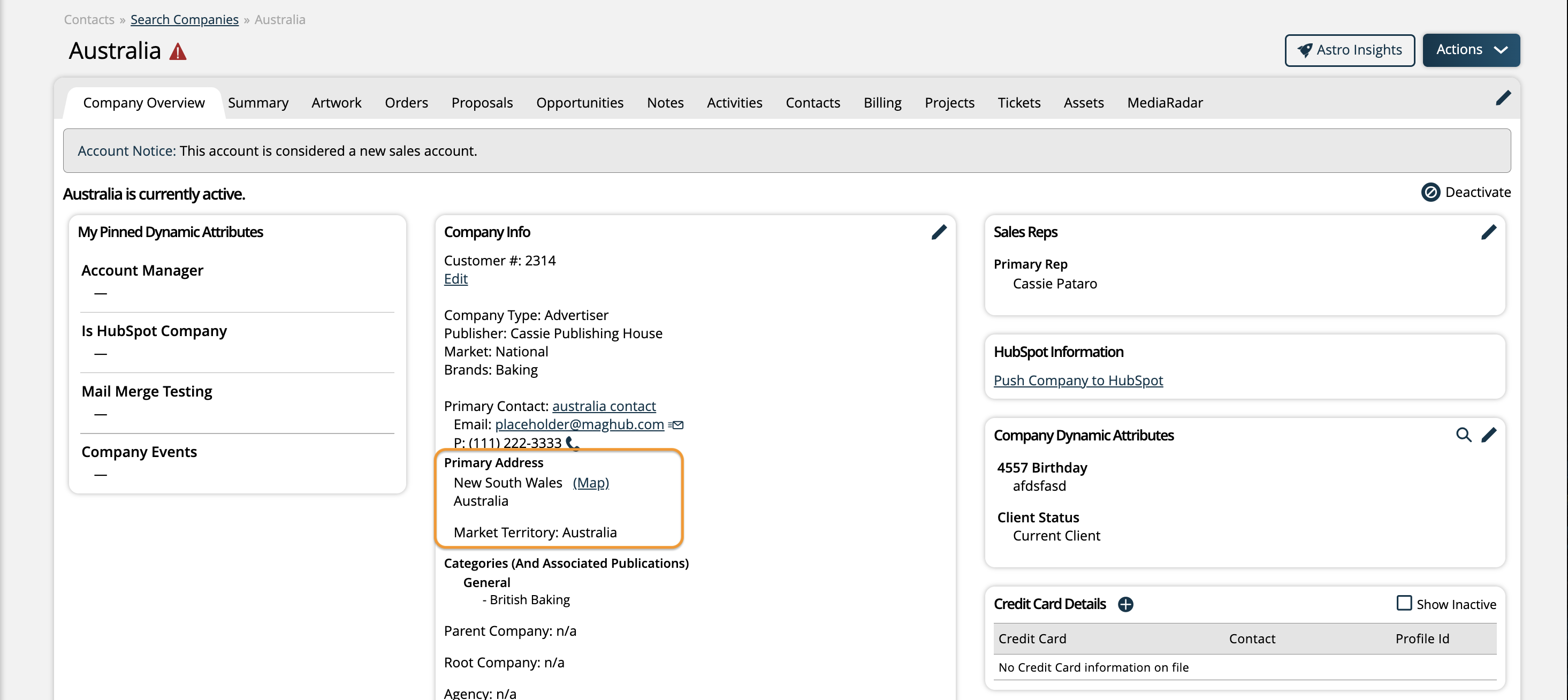
If there are Market Territories without a country and region, but with a sales rep assigned to the Market Territory, then companies with that rep will also have that Market Territory automatically assigned to the company.
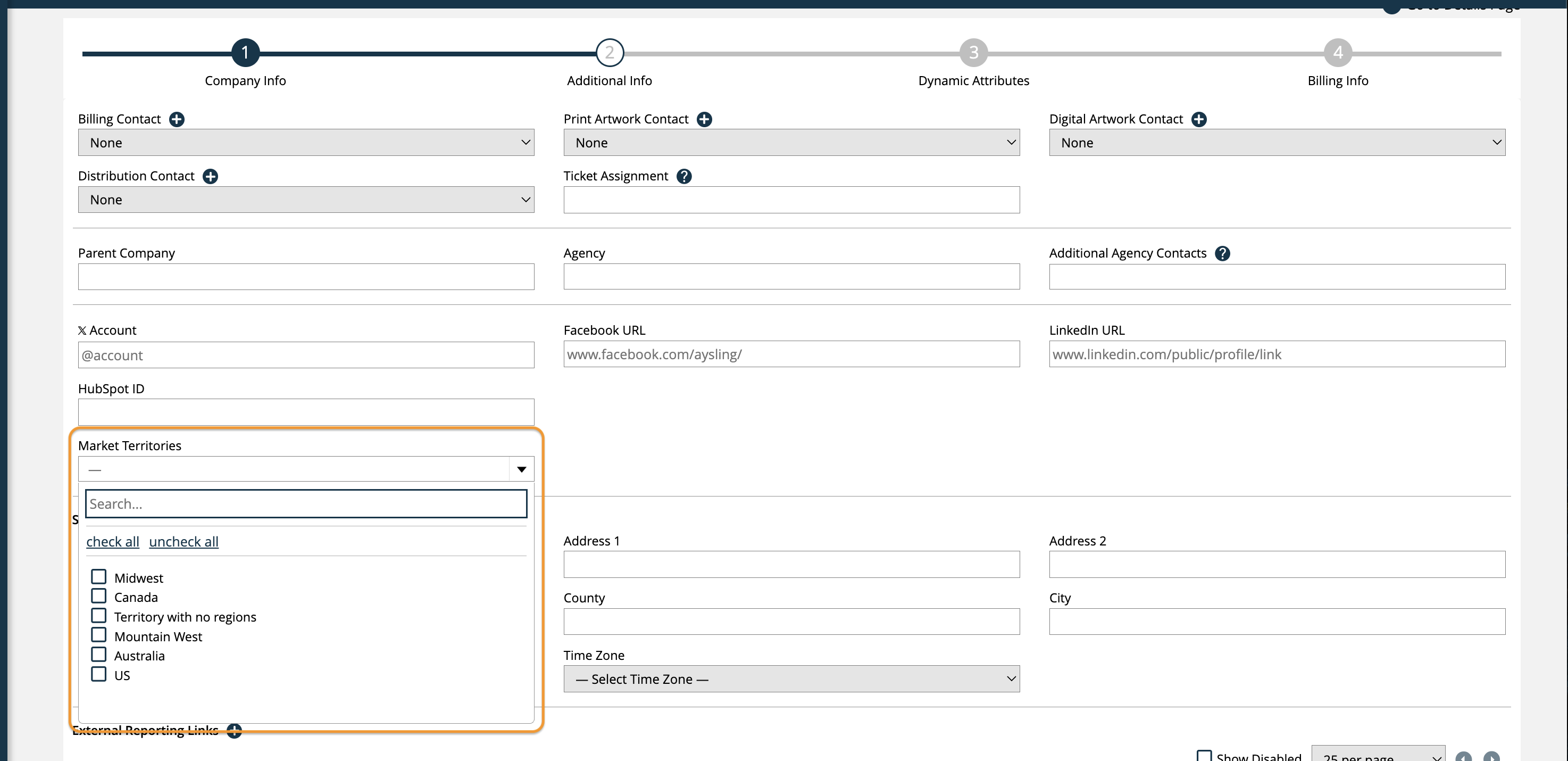
Any Market Territory can also be manually assigned to any company either individually or in bulk. To assign individually, edit the company, then on the 'Additional Info' edit page, set the Market Territories and save your changes.
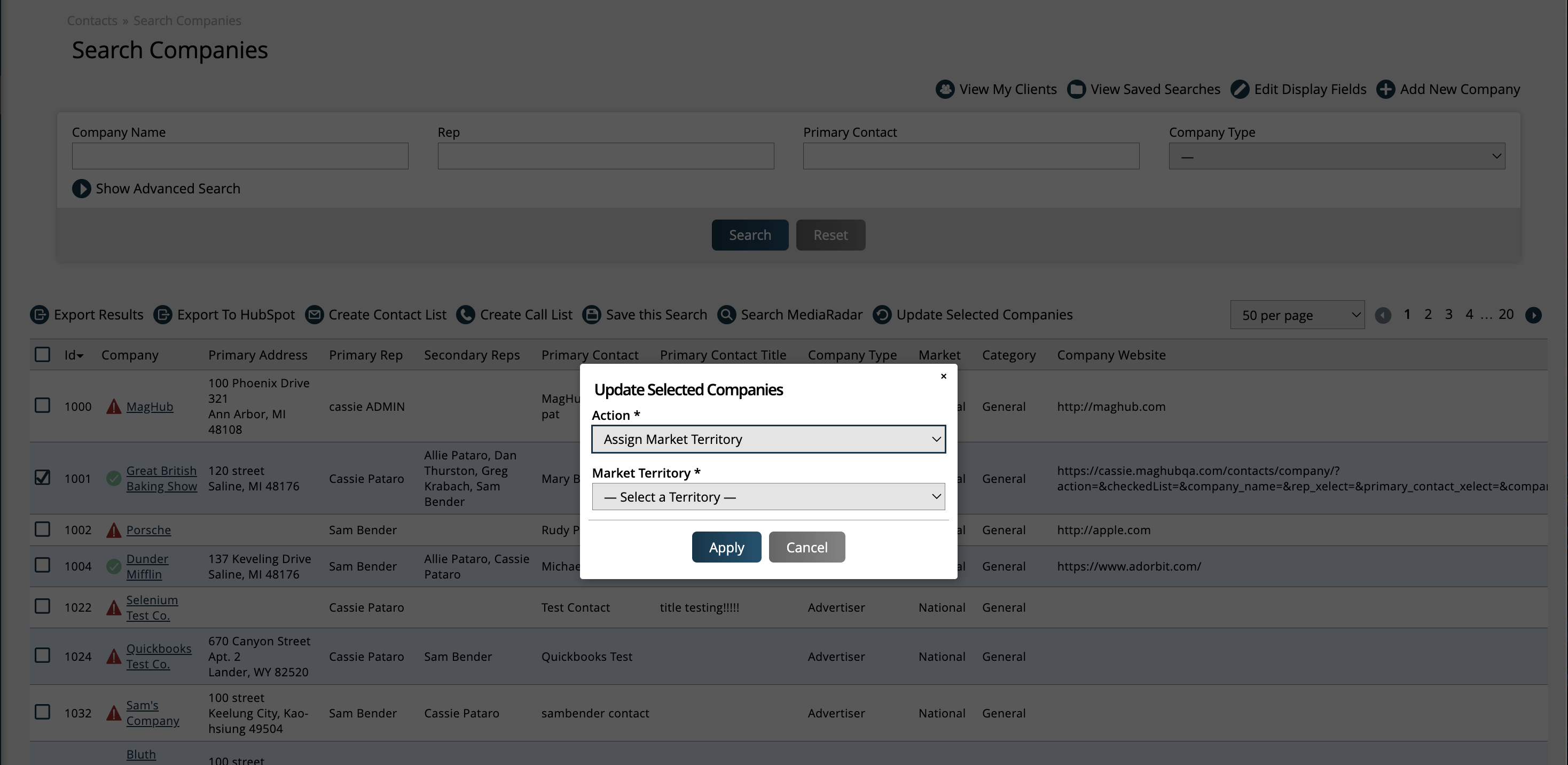
To manually assign Market Territories to companies in bulk, go to the Company Search page, select the companies to update using the checkboxes in the results table, then click the 'Update Selected Companies' action at the top of the table. In the popup, select the 'Assign Market Territory' action.
On the Company Search page, as well as various reports including the Consolidated Sales and the Annual Client Spend reports, you can filter by Market Territories.
Updated 4/10/2026