Vendor Contact Type Classifications
Vendor Contact Type Classifications are sub‑types you can use to better group Vendor Contacts. Classifications are optional, but can be helpful for organizing and filtering.
To create or manage Vendor Contact Type Classifications, go to Settings > Contacts > Vendor Contact Type Classifications. To access these pages, you need the administrative User Permission 'Contacts'.
Here, you can create new Classifications by clicking the +Add New Classification button in the upper right corner of the page. Each Classification requires a name, and a Vendor Contact Type.
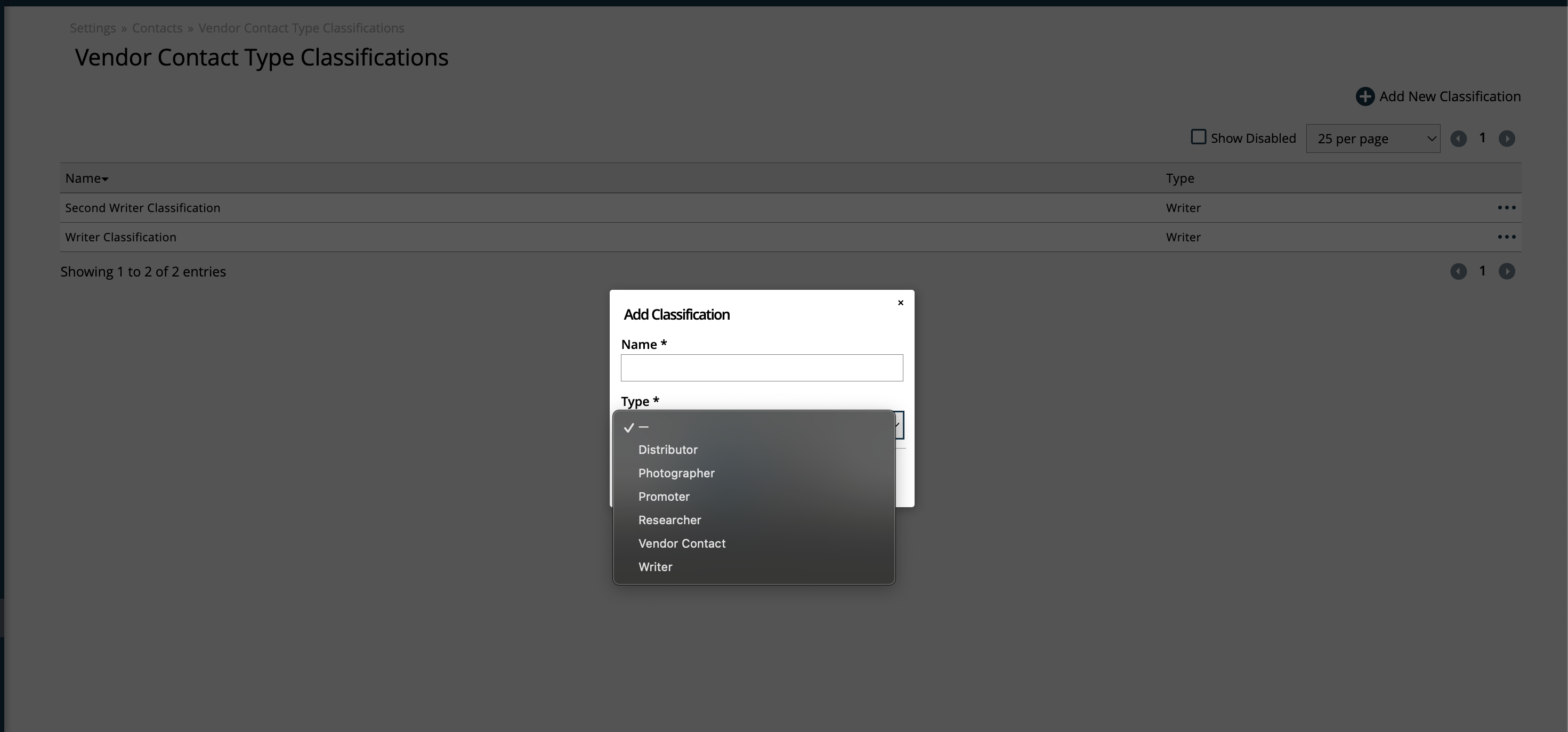
Existing Classifications can be edited by using the ellipses icon on the right side of the table.
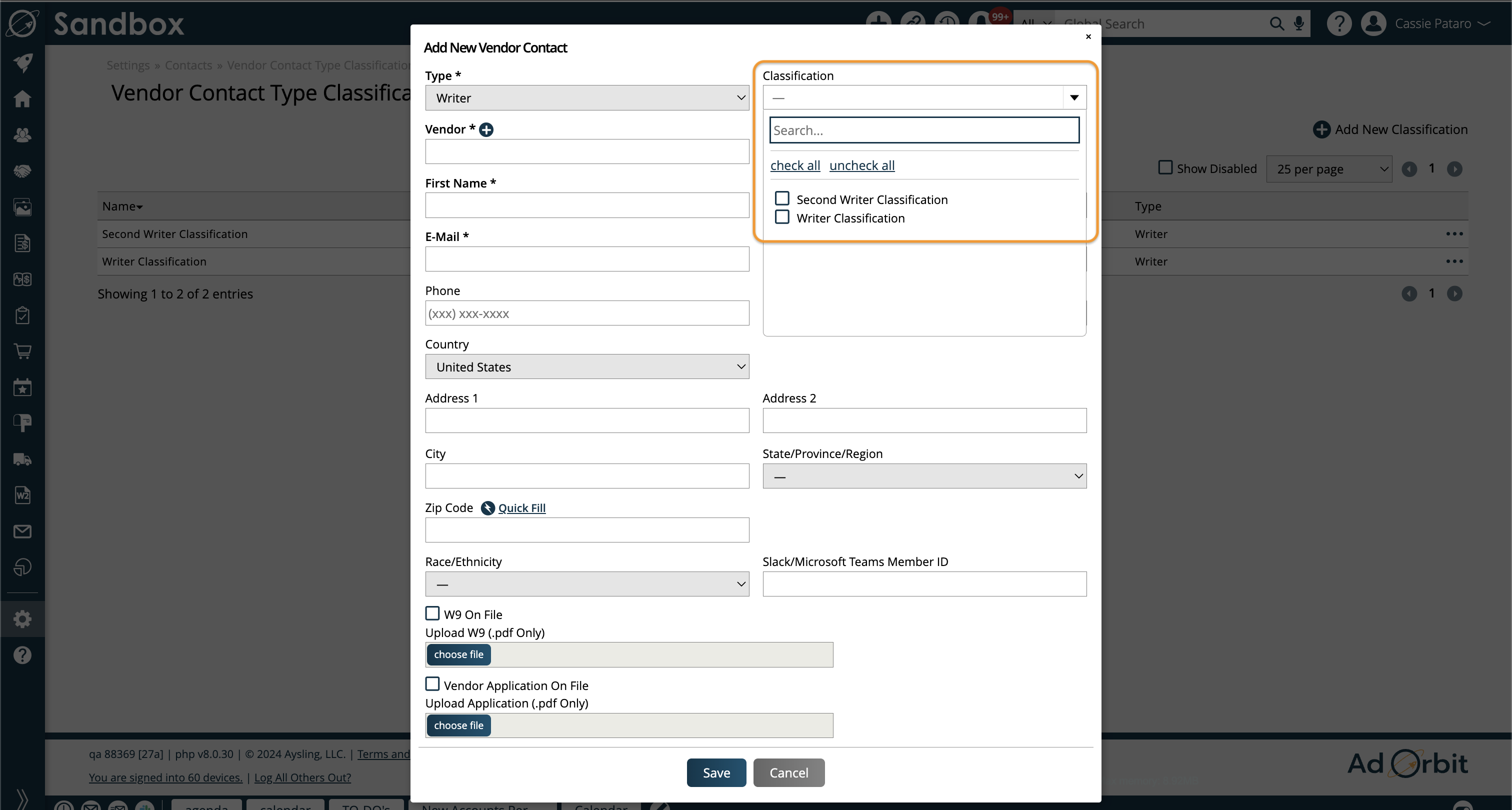
When creating or editing Vendor Contacts, you can use the optional Classification drop-down to assign one or more of your Classifications to the Vendor Contact.
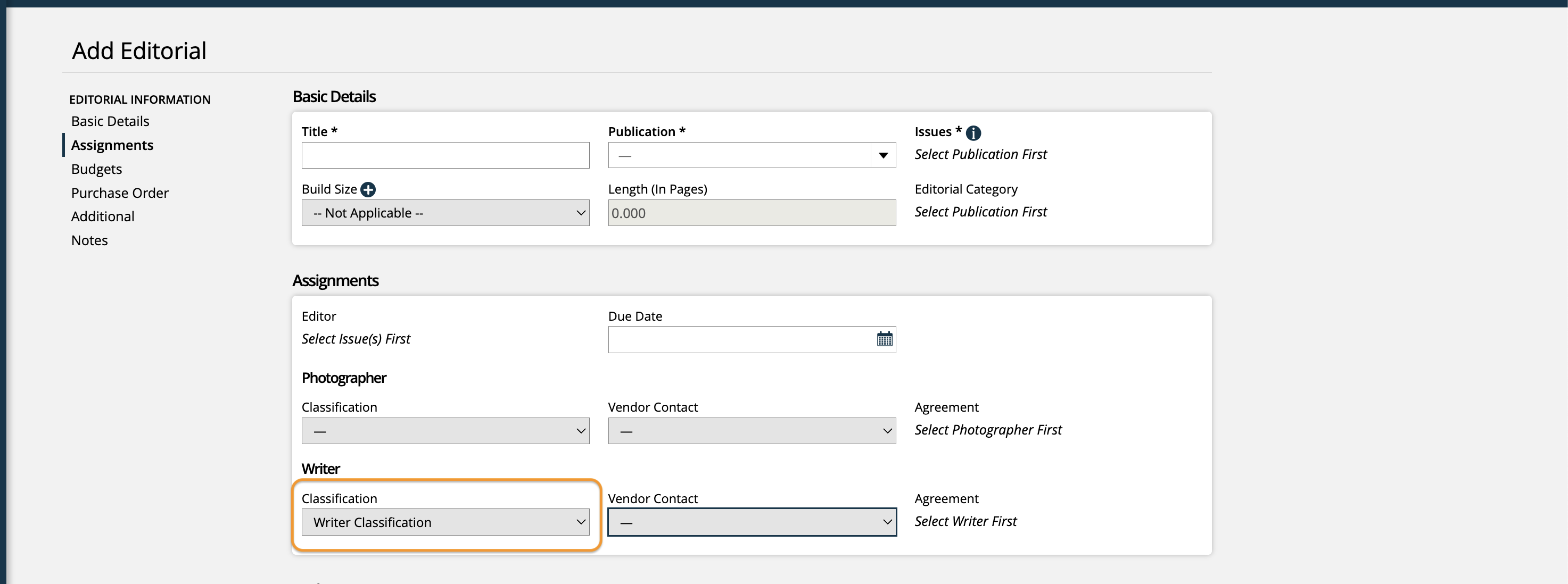
Then, when creating Editorial Assignments, you can use the Classification filter to narrow down the available Vendor Contacts based on those Classifications.
New 2/28/2026