Lead Sources
Lead Sources within Ad Orbit typically reflect how the contact came to be within Ad Orbit. For instance, maybe you met the contact at an event, or they were referred to you through another contact.
To create and manage your Lead Sources, go to Settings > Contacts > Lead Sources. To access this page, you need the 'Contact Setup' User Permission.
Here, you can click the +Add Lead Source button in the upper right corner of the page to create a new Lead Source, or click the ellipses icon in the table to edit an existing Lead Source.
When creating a new Lead Source, you can specify if it should have a 'Parent' Lead Source.
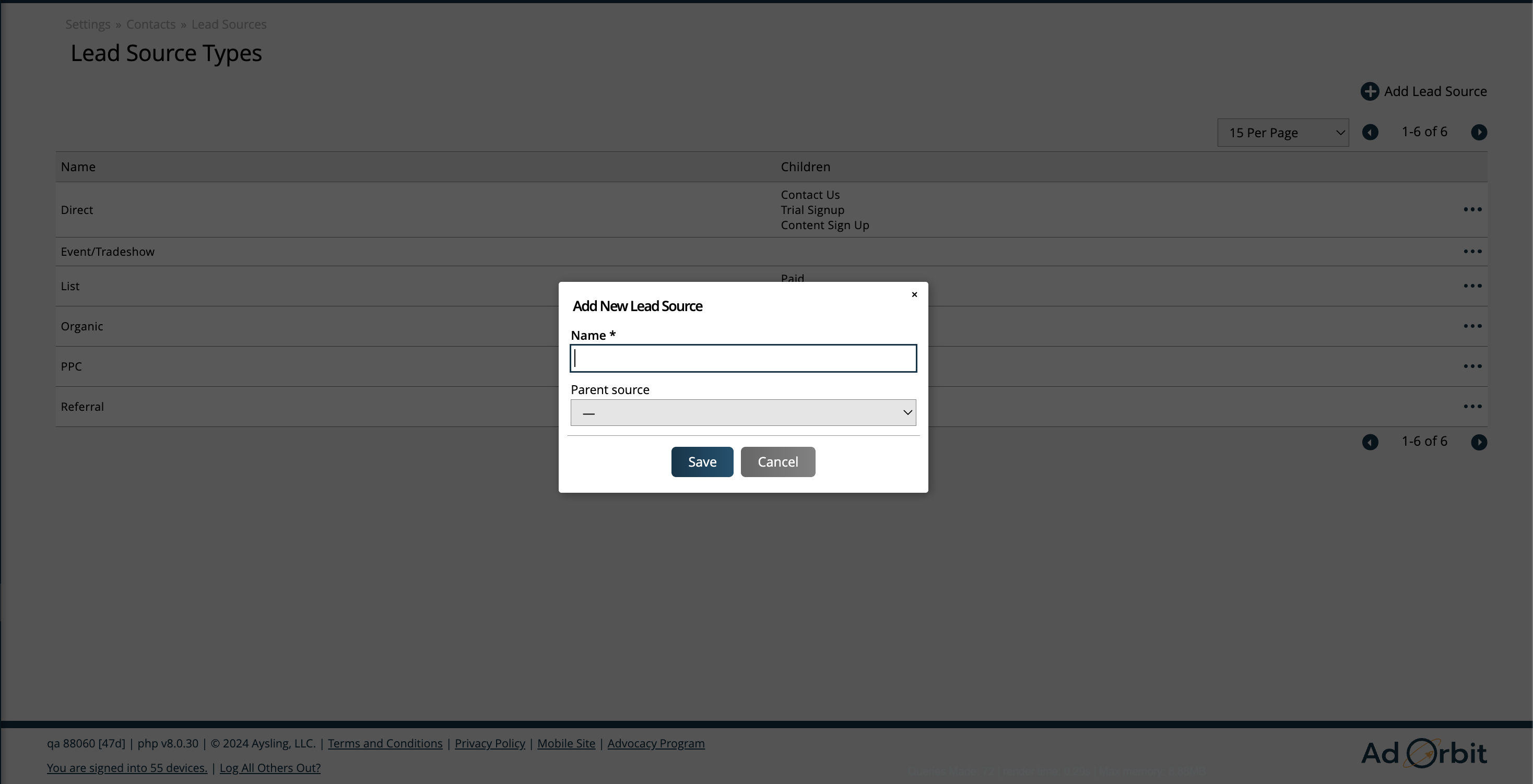
The parent-child relationship for Lead Sources are utilized for categorization and to make it easier to find your Lead Sources in dropdowns throughout the system. Children Lead Sources are essentially sub-categories of the main, or 'parent', Lead Source.
Based on how you have set up your parent-child relationships, you may or may not see Lead Sources showing under the 'Children' column.
You can add or remove Lead Sources as Children for other Lead Sources by opening the edit popup for the main Lead Source.
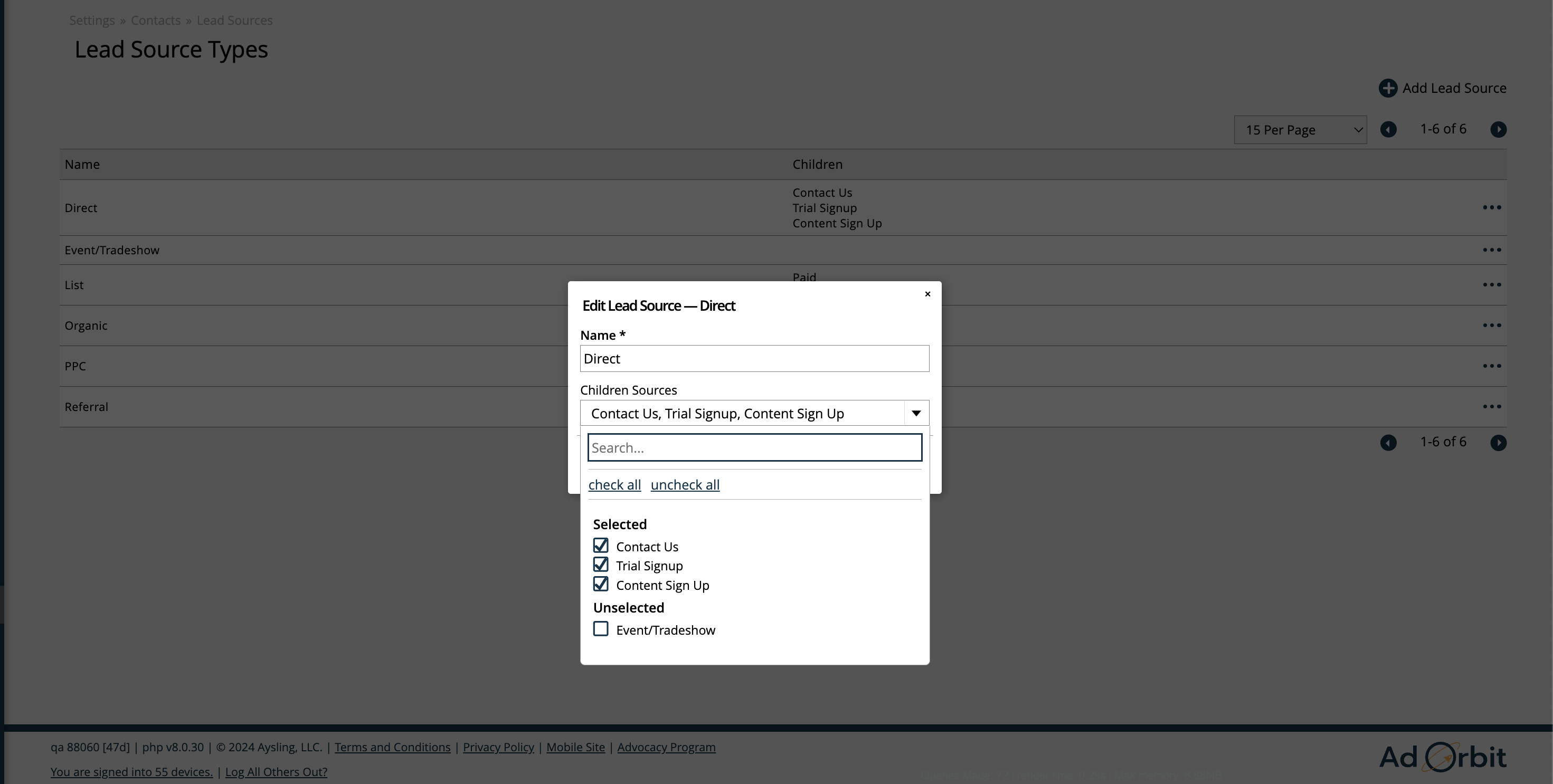
Lead Sources can also be disabled and re-enabled if needed.
Each contact can have one Lead Source set at a time.
Lead Sources can be used as search and display fields on multiple search pages and reports throughout Ad Orbit.
New 2/13/2026