Activity Categories
There are different types of activity categories you can use in the system: Note, Appointment, Email, Text, Call, File, To-Do, Other Event, Sales Proposal, and Completed Task. Each type needs at least one category, but you can set up additional categories to help organize your activity history, calendar, and agenda.
Each category also has settings available, which allow you to send internal and external reminders, specify default categories, and more.
To manage your activity categories, go to Settings > Sales > Activity Categories. To access this page, you need the User Permission 'Sales' under the Administration permissions.
Click Add Activity Category to create a new one, or use the ellipses icon on a record to edit an existing category.
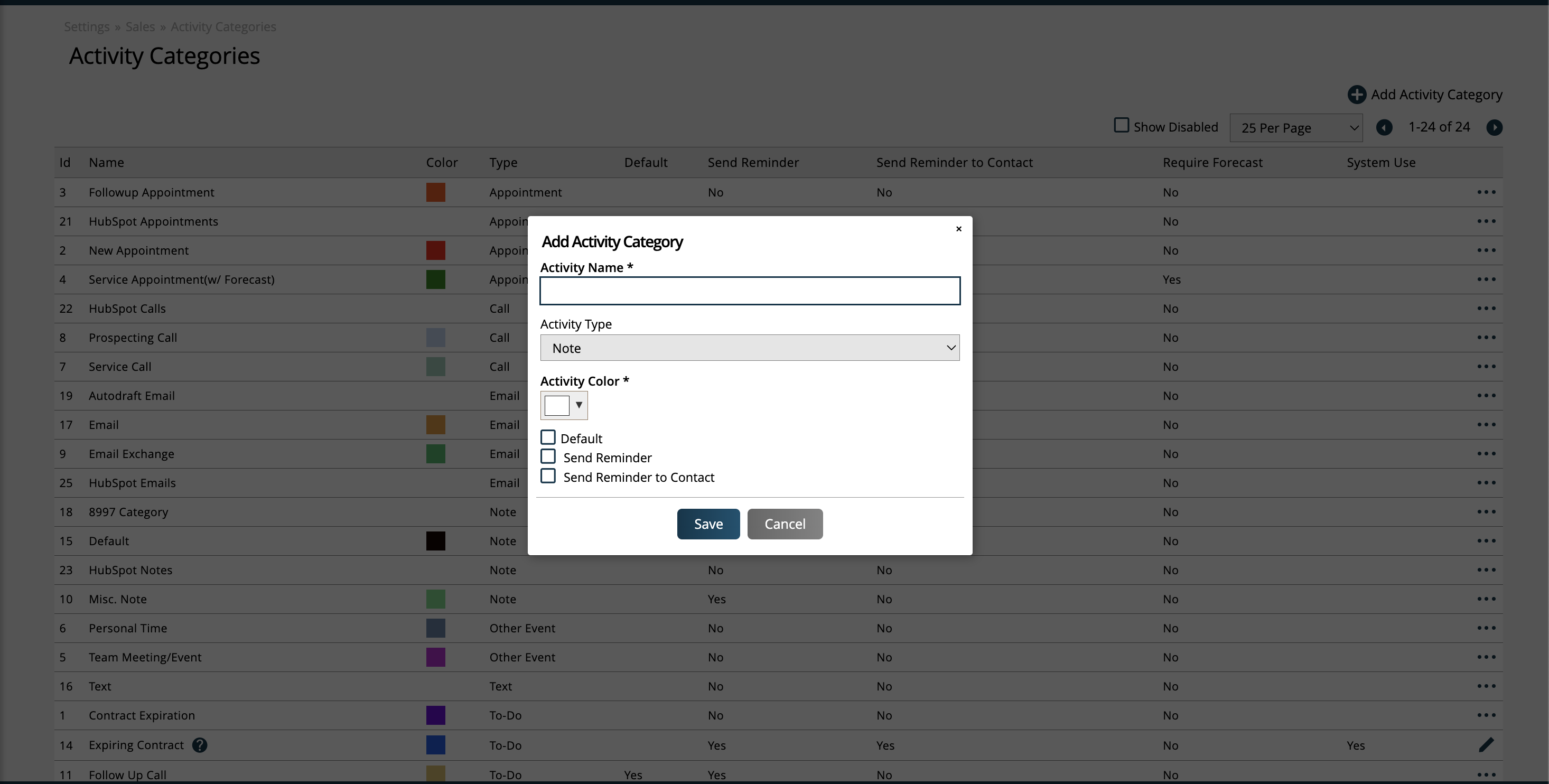
Every category requires a name, color, and type. There are additional settings you can choose, such as reminding the user or contact when the activity will happen.
The 'Send Reminder' setting is for internal use. When checked, the owner of the activity will get a system generated reminder.
Tip
The number of days prior to the activity due date that the reminder is sent is set up in your System Configurations.
Similarly, the 'Send Reminder to Contact' setting is for external use. When checked, the contact associated with the activity will receive a system generated reminder.
Only one default can be set per category type. The default for that type is what will be automatically selected when creating activities of that type. This can be changed on an individual activity basis as needed.
The Require Forecast setting is only available on appointment categories. When set, a forecast item will need to be specified when creating or editing appointments.
There is one 'Expiring Contract' activity category that is used on a system level and cannot be disabled. The system uses this category to create to-dos automatically for a user; you can't edit this category, but you can disable the feature that creates the activity in your System Configurations. For more information about this particular activity category, click here.
New 12/26/2025